
Which Appliances Feature S-Care Technology?
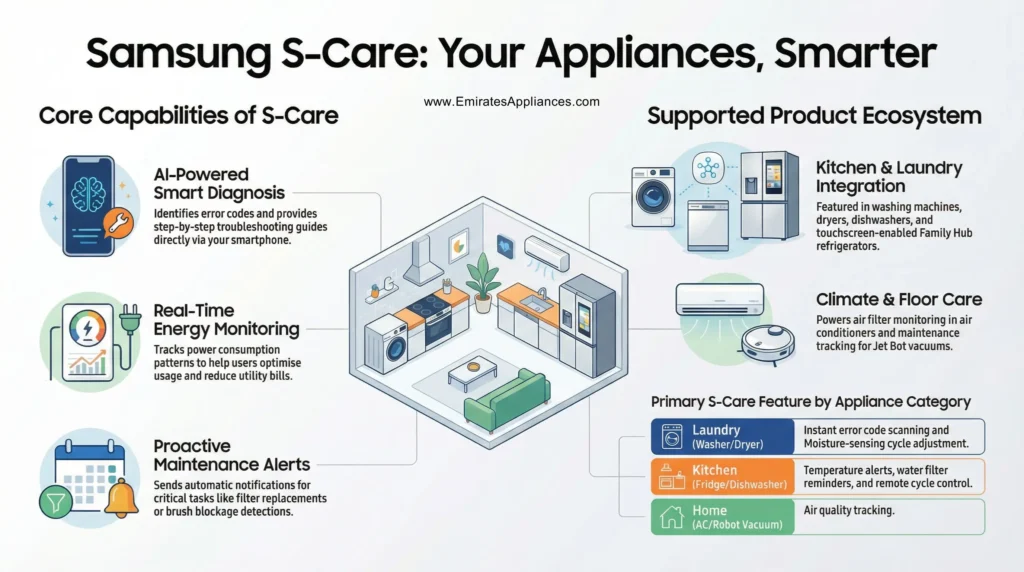
If you have ever wondered which appliances feature S-Care technology, you are not alone. As smart home technology continues to grow, more and more homeowners are searching for appliances that make their daily lives easier, smarter, and more efficient. S-Care technology most commonly known as Samsung Smart Care is one of the most talked-about innovations in the home appliance industry today. It brings together artificial intelligence, IoT (Internet of Things) connectivity, and real-time diagnostics to give users a truly hands-free experience.
In this article, we will walk you through everything you need to know about S-Care technology what it is, which appliances come with it, and why it matters for your home. Whether you are planning to buy a new washing machine, refrigerator, or dryer, this guide will help you make the right decision.
What Is S-Care Technology?
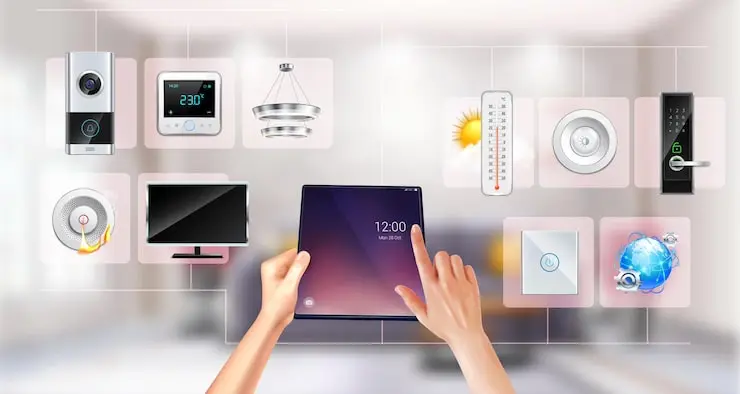
S-Care technology refers to Samsung’s Smart Care system a built-in diagnostic and monitoring feature found in select Samsung appliances. It uses your smartphone and a companion app to identify issues with your appliance, send real-time alerts, and guide you through troubleshooting steps without needing to call a technician.
Think of it as a health check system for your home appliances. Just like you track your own health through a smartwatch or fitness app, S-Care technology tracks the health of your appliances and tells you when something needs attention. It connects to the Samsung SmartThings app, giving you remote control, error notifications, energy monitoring, and predictive maintenance all in one place.
The core goal of which appliances feature S-Care technology is to reduce appliance downtime, save energy, and make household chores less of a burden. It achieves this through smart sensors, AI-powered algorithms, and seamless connectivity between your devices.
Which Appliances Feature S-Care Technology?
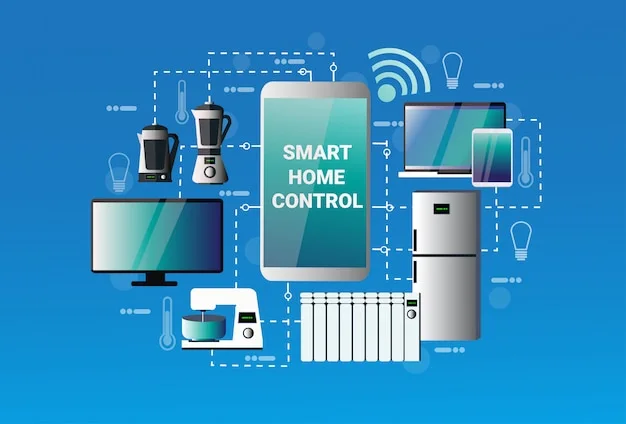
S-Care technology is not limited to just one type of appliance. Samsung has integrated this smart system across multiple product categories, making it one of the most versatile innovations in the home appliance space. Below is a detailed breakdown of the major appliances that feature S-Care technology.
1. Samsung Smart Washing Machines
Samsung washing machines are among the most popular appliances that feature S-Care technology. These washers come with a dedicated Smart Care button on the control panel. When you press it, the machine generates a diagnostic code that you can scan using your smartphone camera through the Samsung SmartThings app.
The Smart Care feature in washing machines helps you identify error codes instantly. It also provides step-by-step troubleshooting guides and connects you with Samsung’s support team if the problem cannot be resolved at home. In newer Wi-Fi-enabled models, the SmartThings app automatically receives error notifications as soon as they occur — no manual scanning needed. Features like AI-powered wash cycles, energy usage tracking, and remote start make these washers a top pick for modern households.
2. Samsung Smart Dryers
Samsung smart dryers are another key appliance category where S-Care technology truly shines. These dryers are built with advanced moisture-sensing capabilities and heat pump technology that automatically adjusts the drying cycle based on the load size and fabric type. The result is a smarter, more energy-efficient drying process.
With S-Care enabled, the SmartThings app monitors your dryer in real time and sends alerts if something goes wrong. You can view energy consumption data, get maintenance reminders, and even watch instructional videos directly from the app. This means you never have to guess why your dryer is not working properly — the technology does the diagnosing for you.
3. Samsung Family Hub Refrigerators
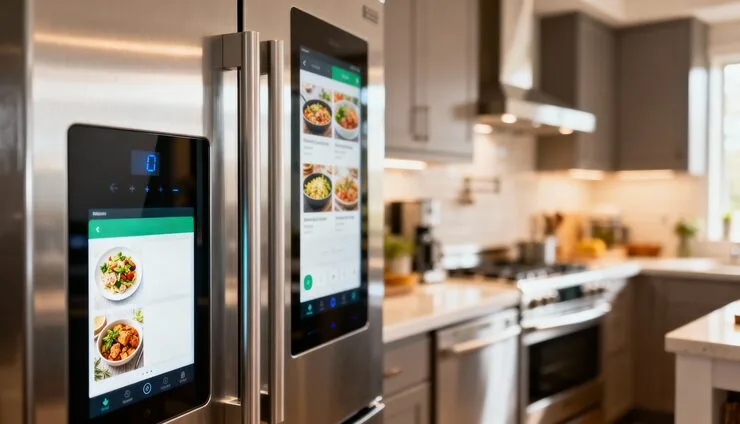
Samsung Family Hub refrigerators are perhaps the most impressive appliance on this list that features S-Care technology. These smart refrigerators come with a built-in touchscreen display and are fully integrated with the SmartThings Home Care system. Home Care continuously monitors the refrigerator’s performance and sends alerts when the water filter needs replacing, the temperature is off, or any other maintenance issue arises.
Beyond maintenance, the Family Hub refrigerator lets you view the contents of your fridge from anywhere through internal cameras, manage grocery lists, and stream music or TV directly on the screen. It is truly an all-in-one smart home hub disguised as a kitchen appliance. SmartThings Home Care ensures this appliance is always running at its best.
4. Samsung Smart Dishwashers
Samsung smart dishwashers also benefit from the SmartThings Home Care integration that forms the backbone of S-Care technology. These dishwashers connect to your home Wi-Fi and communicate directly with the SmartThings app. You will receive alerts when the wash cycle is complete, when a maintenance issue is detected, or when the appliance needs attention.
Smart dishwashers with S-Care technology also allow remote cycle control, which is great if you forgot to start the dishwasher before leaving home. The built-in sensors track water usage and cycle efficiency, helping you save on utility bills over time.
Also Check Out: Buy Used Dishwashers
5. Samsung Smart Air Conditioners
Samsung smart air conditioners are fully compatible with the SmartThings ecosystem and feature S-Care technology in the form of air filter monitoring and system diagnostics. The SmartThings Home Care section notifies you when your air conditioner’s filter needs cleaning — a small but important detail that most people forget. A clean filter means better air quality and lower energy bills.
Remote control through the SmartThings app lets you adjust temperatures, set schedules, and check the unit’s energy usage from anywhere in the world. Whether it is a wall-mounted split unit or a portable smart AC, Samsung’s S-Care technology keeps it running efficiently year-round.
6. Samsung Jet Bot Robot Vacuums
Samsung Jet Bot robot vacuums are another appliance category that features S-Care technology through the SmartThings Home Care system. These smart vacuums are monitored by the app, which alerts you when the dustbin needs emptying, when there is a brush blockage, or when the vacuum requires general maintenance.
This level of proactive care means your robot vacuum keeps working at its full potential without you needing to constantly check it. You can also schedule cleaning times, view cleaning maps, and control the vacuum remotely through the SmartThings app.
Key Features of S-Care Technology Across All Appliances
No matter which appliance you look at, S-Care technology shares a core set of features that make it stand out from traditional home appliances.
Smart Diagnosis is the heart of S-Care technology. Using sensors and AI algorithms, the system can identify potential issues before they turn into major problems. This predictive maintenance approach saves homeowners time and money on costly repairs. Error codes are transmitted to your smartphone in real time, and the app provides clear guidance on how to fix the issue or when to call a professional.
Energy monitoring is another powerful feature. The SmartThings app tracks how much energy each appliance is consuming and gives you insights to optimize usage. Over time, this data helps you reduce electricity bills and make smarter decisions about when to run your appliances.
Remote control and automation round out the S-Care experience. With all supported appliances connected to SmartThings, you can build automated routines — for example, setting your washer to start during off-peak electricity hours, or having the air conditioner cool down your home before you arrive. The entire ecosystem works together seamlessly.
How to Set Up S-Care Technology on Your Samsung Appliance
Setting up S-Care technology is straightforward. Start by downloading the Samsung SmartThings app from the Google Play Store or Apple App Store. Create or sign in to your Samsung account. Once inside the app, follow the on-screen instructions to add your appliance by selecting it from the device list.
Make sure your appliance is connected to your home Wi-Fi network — most newer Samsung models have a dedicated Wi-Fi button or setup mode. Once connected, your appliance will appear in the SmartThings dashboard, and the Home Care section will automatically begin monitoring it. From that point on, you will receive real-time notifications, maintenance alerts, and access to all Smart Care features right from your phone.
Quick Reference: Appliances with S-Care Technology
| Appliance | Key S-Care Feature | App Integration | Remote Control |
| Smart Washing Machine | Smart Diagnosis, Error Code Detection | Samsung SmartThings | Yes |
| Smart Dryer | Moisture Sensing, Maintenance Alerts | Samsung SmartThings | Yes |
| Family Hub Refrigerator | Home Care, Filter & Temp Alerts | Samsung SmartThings | Yes |
| Smart Dishwasher | Cycle Monitoring, Water Usage Tracking | Samsung SmartThings | Yes |
| Smart Air Conditioner | Air Filter Monitoring, Energy Tracking | Samsung SmartThings | Yes |
| Jet Bot Robot Vacuum | Dustbin & Brush Blockage Alerts | Samsung SmartThings | Yes |
Why S-Care Technology is Worth it
Understanding which appliances feature S-Care technology is just the beginning. The real value comes from what this technology does for your everyday life. It reduces the stress of unexpected appliance breakdowns, saves you money on service calls, and helps your appliances last longer through proactive care.
For busy households, the convenience of remote monitoring and control is invaluable. You no longer have to be physically present to manage your home appliances — everything is accessible from the palm of your hand. The energy monitoring features also help environmentally conscious users reduce their carbon footprint by cutting down on unnecessary energy use.
Moreover, Samsung continues to expand its SmartThings ecosystem, which means appliances with S-Care technology become more capable over time through software updates. As new features are added to the SmartThings app, your existing appliances benefit automatically — without needing to buy new hardware.
Final Thoughts
So, which appliances feature S-Care technology? The answer includes Samsung smart washing machines, dryers, Family Hub refrigerators, dishwashers, air conditioners, and Jet Bot robot vacuums. All of these devices are supported by the Samsung SmartThings ecosystem and offer real-time diagnostics, predictive maintenance, energy monitoring, and remote control through the SmartThings Home Care system.
If you are in the market for a new home appliance and want the peace of mind that comes with smart monitoring and proactive care, choosing an appliance that features S-Care technology is a smart move. It is not just about convenience it is about taking better care of your home, your budget, and your time. As smart home technology continues to evolve, appliances with S-Care technology will only become more powerful and more indispensable in modern households.
FAQs:
Q1. Which appliances feature S-Care technology?
S-Care technology is available on Samsung smart washing machines, dryers, Family Hub refrigerators, dishwashers, air conditioners, and Jet Bot robot vacuums. All of these connect to the Samsung SmartThings app for remote control and smart diagnostics.
Q2. What does S-Care technology do?
S-Care technology monitors your Samsung appliance in real time. It detects errors, sends alerts to your phone, tracks energy usage, and guides you through fixing problems — all without calling a technician.
Q3. Do I need Wi-Fi to use S-Care technology?
Yes, most S-Care features require your Samsung appliance to be connected to your home Wi-Fi network and linked to the Samsung SmartThings app on your smartphone.
Q4. Is S-Care technology available on all Samsung appliances?
No, S-Care technology is only available on select Samsung smart appliances. You need to check if the model supports SmartThings or has a Smart Care button before buying.
Q5. How do I set up S-Care technology on my Samsung appliance?
Download the Samsung SmartThings app, sign in to your Samsung account, connect your appliance to Wi-Fi, and add it through the app. The Home Care section will then start monitoring your appliance automatically.